Scan, price and list Star Wars: Unlimited cards in one workflow
Photograph or scan your Star Wars: Unlimited cards in English, German, French, Italian or Spanish. NeoSatoshi identifies the card with its subtitle and the printing, keeps Standard, Hyperspace, Prestige, Showcase and foil apart with their own prices, and turns the batch into eBay, Shopify or Cardmarket listings.
Built for the way Star Wars: Unlimited cards are sold
Card detection from photos and scans
Upload one card per photo or scan. NeoSatoshi identifies the card and adds name and subtitle, set code, number, kind of print, rarity, a confidence value, alternative matches and current market prices. A wrong match is fixed with the manual search by name, or by set code and number.
Five card languages
English, German, French, Italian and Spanish cards are supported. The language can be changed per card in the review table, and the card then shows its name, set name and image in that language.
Prices per printing and finish
Cardmarket prices in EUR, or in CHF or USD at the daily exchange rate, plus TCGplayer prices, always for exactly that printing and finish. For eBay you can also load the median asking price of active listings. It comes mainly from eBay.com with thin coverage, and promos and Serialized copies get none.
eBay Direct Listing and CSV
Publish straight to your eBay account or download the eBay CSV. The title carries the subtitle, the kind of print, the set code and the number, foil copies are marked as foil, and game and manufacturer are filled in as Star Wars: Unlimited and Fantasy Flight Games.
Shopify products
Create products directly in your Shopify store, with a dry-run preview first, or export a Shopify CSV. One printing is one product, and foil and normal copies stay apart. NeoSatoshi is also available as an app in the Shopify App Store.
Cardmarket, custom exports and API
Download the TCGPowerTools import file for Cardmarket, or a custom CSV or JSON export for other tools. Developers can send Star Wars: Unlimited cards to the Detection API with "tcg": "star_wars_unlimited".
Daily price sync that never guesses
On the Business plan or higher, the daily price sync keeps your eBay and Shopify prices current and prices each printing and finish separately. A printing it cannot pin down is skipped, and a Serialized copy is never touched.
Watched scan folder for document scanners
In desktop Chrome, Edge, Brave or Opera, NeoSatoshi watches the folder your scanner saves to, adds new JPEG or PNG scans automatically and pairs fronts and backs. Any document scanner that saves images into a folder works, with one card per scan.
The version first, then the printing
A card is its name and its subtitle, so the subtitle always appears: in the table, the search, the pickers and your listing titles.
Standard, Hyperspace, Prestige, Showcase and promos have their own numbers and their own prices. The printing comes from the set code and number on the card.
When the printing is not proven, the row has no price and shows a picker. It is never filled with a minimum price or another printing's price.
When only the name could be read, the version picker opens, because it may be another version of the character. Such a row is not finished until you have picked.
On Spark of Rebellion, Shadows of the Galaxy and Twilight of the Republic, foil shares the number with the normal card, so you decide with the foil switch. Newer sets give a foil its own number.
Serialized Prestige is never priced by a machine. The number on your copy moves the price, so you type it, and the daily price sync skips the listing.
Best fit for this workflow
Fit 1
You list singles in volume
Typing subtitle, set, number and language for every card is the slow part. Detection fills them in for the whole batch, and you only decide what the photo cannot show.
Fit 2
You sell Hyperspace, Prestige and Showcase cards
When the same card has very different prices from print to print, the wrong pick costs money. NeoSatoshi asks instead of guessing and shows the price of every printing.
Fit 3
You sell on more than one marketplace
One reviewed batch can go to eBay, Shopify and Cardmarket, so you never enter the same cards three times.
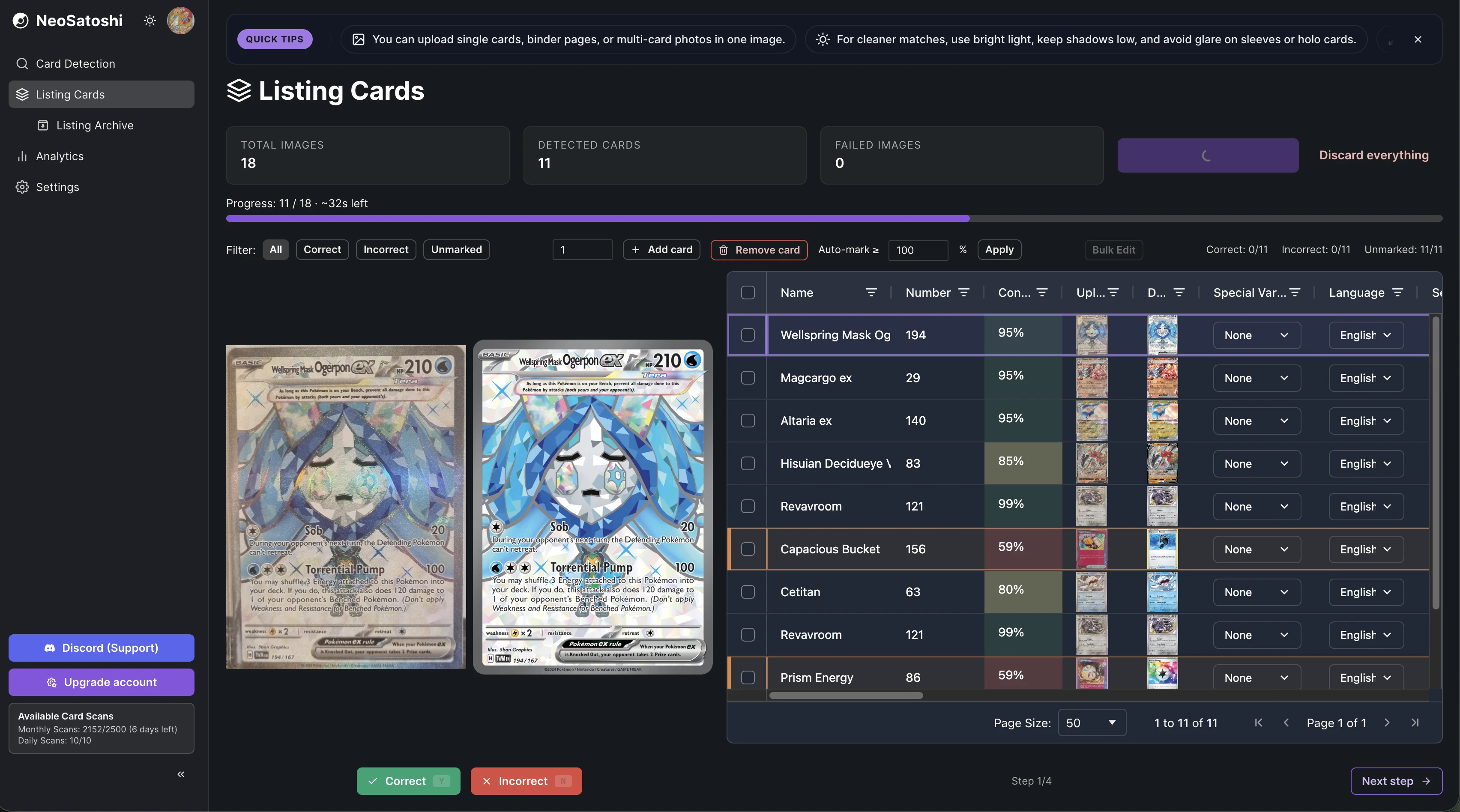
Review every match in one table
Each detected card appears with its subtitle, set code, number, kind of print, language, finish and prices. Fix a wrong match by picking another printing or version, or by searching for the card.
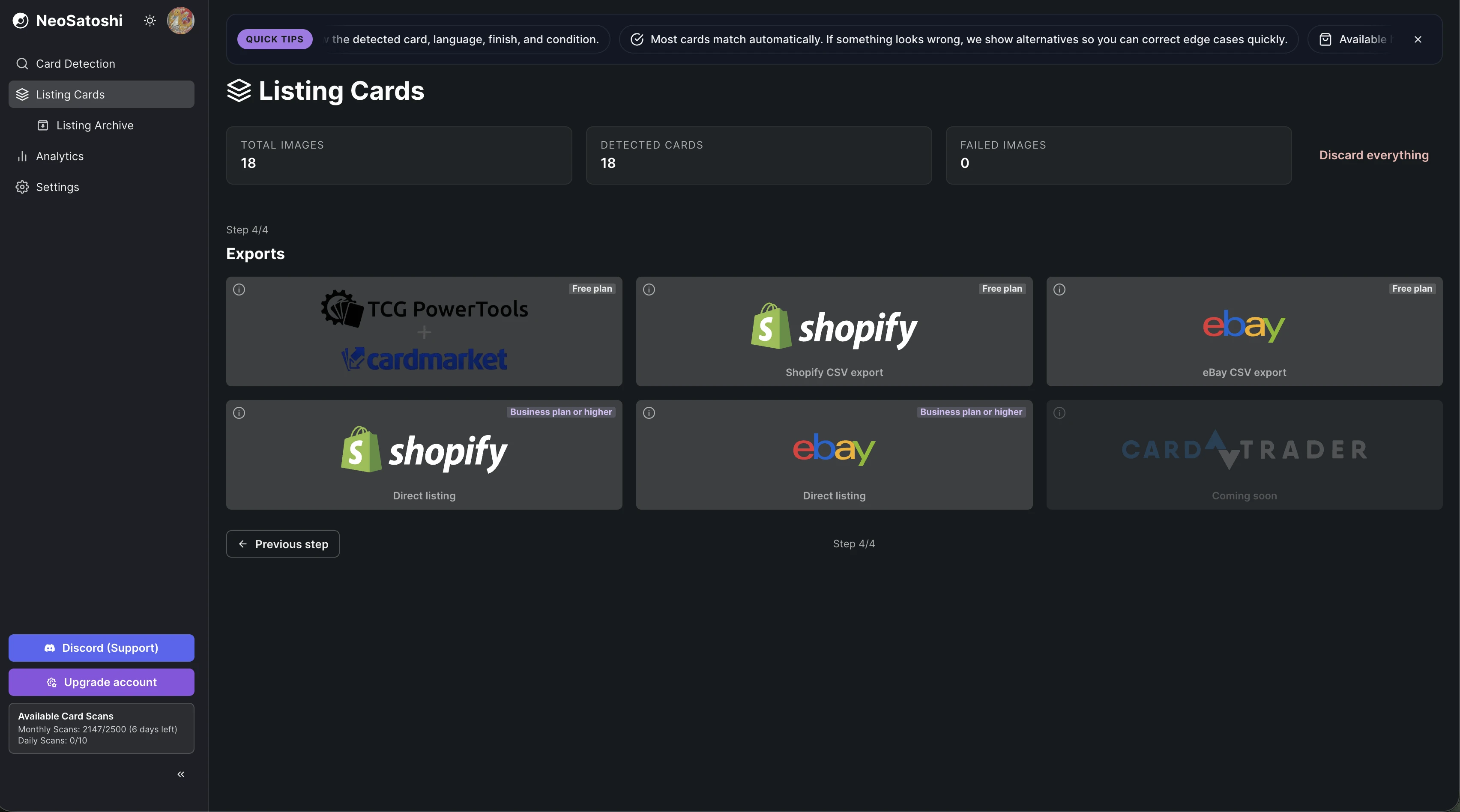
List directly or export a file
Publish to eBay or Shopify, or download the eBay, Shopify, TCGPowerTools or custom export file.
How it works
Choose Star Wars: Unlimited
In step 1 of Listing Cards, pick Star Wars: Unlimited with the card game switch. A batch is always one game.
Upload photos or scans
Upload one card per photo or scan, or use the watched scan folder. Unlike Pokémon, where one photo can hold several cards, every Star Wars: Unlimited card needs a photo of its own.
Pick versions and printings, set foil and condition
Where the photo does not prove it, pick the version or the printing in step 2. Then switch your foil copies on the older sets to foil and set the condition. Every card starts as Near Mint (NM).
Set your prices
Start from Cardmarket, TCGplayer or eBay prices and add a markup per price range, a minimum price and rounding. Type the price of a Serialized copy yourself.
List or export
Publish to eBay or Shopify directly (Business plan or higher) or download the eBay, Shopify, TCGPowerTools or custom export on any plan.
Good to know before you start
You set the condition
NeoSatoshi identifies the card, it does not grade it. Every card starts as Near Mint (NM), and you change the condition per card or in bulk edit. On a graded slab we read the grade off the label, we never estimate condition.
Your own photo for translated cards on eBay
Stock images in German, French, Italian and Spanish are mostly too small for eBay. A translated card needs your own photo there. Shopify can use the stock images.
One card per photo
Each Star Wars: Unlimited card needs its own photo or scan. Unlike Pokémon, several cards in one photo are not detected.
You price Serialized copies
A Serialized Prestige gets no automatic price, no eBay median and no daily price update. The figure in the table is only a reference.
You set foil on the older sets
On Spark of Rebellion, Shadows of the Galaxy and Twilight of the Republic the photo cannot prove foil. A card starts as non-foil, so switch your foil copies before you price them.
Sideways slabs are not read
PSA, BGS and CGC labels are read when the slab stands upright. On a slab lying sideways, set the grading company and the grade yourself.
Common questions
- Which Star Wars: Unlimited languages does NeoSatoshi recognise?
- English, German, French, Italian and Spanish. The language can be changed per card in the review table. Some prints exist in English only and keep their English name and image.
- How does NeoSatoshi know which version and printing I have?
- It identifies the card with its subtitle, then takes the printing from the set code and number on the card. When the printing is not proven you pick it, and every option shows its set, number, kind of print and price. When only the name could be read, the version picker opens.
- Why does a card have no price?
- Because its version or printing is not known yet, and Standard, Hyperspace, Prestige, Showcase and promos have very different prices. Pick it in step 2 and the price of that printing appears. NeoSatoshi never fills in a minimum price or another printing's price.
- Does NeoSatoshi know if a card is foil?
- On newer sets yes, because a foil has its own number. On Spark of Rebellion, Shadows of the Galaxy and Twilight of the Republic foil shares the number, so you decide with the Foil switch, per card or in bulk edit. It changes the market prices and the listing price to the foil or non-foil price.
- Can I list graded Star Wars: Unlimited cards?
- Yes. On PSA, BGS and CGC slabs the grading company, the grade and the cert number are read from the label. We read the grade off the label, we never estimate condition. Slabs lying sideways and slabs of other grading companies you enter by hand.
- Where can I sell Star Wars: Unlimited cards with NeoSatoshi?
- On eBay (Direct Listing or the eBay CSV), on Shopify (Direct Listing or the Shopify CSV) and on Cardmarket through the TCGPowerTools CSV. A custom CSV or JSON export is available for other tools, and developers can use the Detection API.
- Does NeoSatoshi grade the condition of my cards?
- No. Detection identifies the card, not its condition. Every card starts as Near Mint (NM), and you set the condition yourself before listing.
- Can I photograph several Star Wars: Unlimited cards at once?
- No. Star Wars: Unlimited needs one card per photo or scan. A document scanner makes this quick: any scanner that saves JPEG or PNG files into a folder works, and in desktop Chrome, Edge, Brave or Opera the watched scan folder adds new scans automatically and pairs fronts and backs.
- Do I need a paid plan?
- No. Everyone gets 10 free card scans per day, and the Free plan includes monthly card scans and every export file. eBay and Shopify Direct Listing and the daily price sync need the Business plan or higher.
- How are Serialized Prestige cards priced?
- By you. The number on the copy moves the price, so NeoSatoshi never prices a Serialized Prestige by machine. The market figure in the table is a reference only, every export uses the price you typed, and the daily price sync skips the listing.
Don't see your question?
Browse all answers
More for Star Wars: Unlimited sellers
Cardmarket listing workflow
How the TCGPowerTools CSV turns a reviewed batch into Cardmarket listings.
Read more
Detection API for developers
The same card recognition for your own software. Send cards with "tcg": "star_wars_unlimited".
Read more
How to sell Star Wars: Unlimited cards online
Cardmarket, eBay or your own shop: what a listing needs and a fast workflow.
Read more
Which version and printing do I have?
Subtitle, set code and number, and what to do when the photo does not prove them.
Read more
Foil and Serialized cards
The two foil models, and why a Serialized Prestige needs your own price.
Read more
Ready to list your Star Wars: Unlimited cards?
Start with 10 free card scans per day and see your first batch detected, priced and ready to list.