List Pokémon cards in minutes, not hours
NeoSatoshi turns your card photos into ready-to-sell listings. Upload a binder page, review AI-matched results, adjust prices, and export. All from one workflow.
Built for sellers who move volume
AI card detection
Upload a photo of your binder page or a single card. NeoSatoshi identifies the card, set, number, and finish automatically.
Multi-marketplace export
Export listings to eBay (CSV or direct API), Shopify, and Cardmarket via TCGPowerTools. One source of truth for all platforms.
Automatic pricing
Compare daily Cardmarket and TCGPlayer market prices with live eBay prices from active competing listings. Set markup rules, minimum prices, and per-card overrides before you export.
Multi-language support
Recognizes and prices English, German, French, Italian, Spanish, Japanese, and Korean Pokémon cards — each shown in its own language with the matching artwork and seller-ready data for your listings.
Best fit for this workflow
Fit 1
Bulk listing is your main bottleneck
Use this page if your core problem is turning stacks of card photos into listing-ready inventory faster, not just identifying one card at a time.
Fit 2
You sell across more than one marketplace
This page fits sellers who want one workflow for pricing, review, and export instead of separate tools for eBay, Shopify, and Cardmarket.
Fit 3
You need an end-to-end seller workflow
Choose this page when you want the full listing process, from detection and correction to pricing rules and marketplace export.
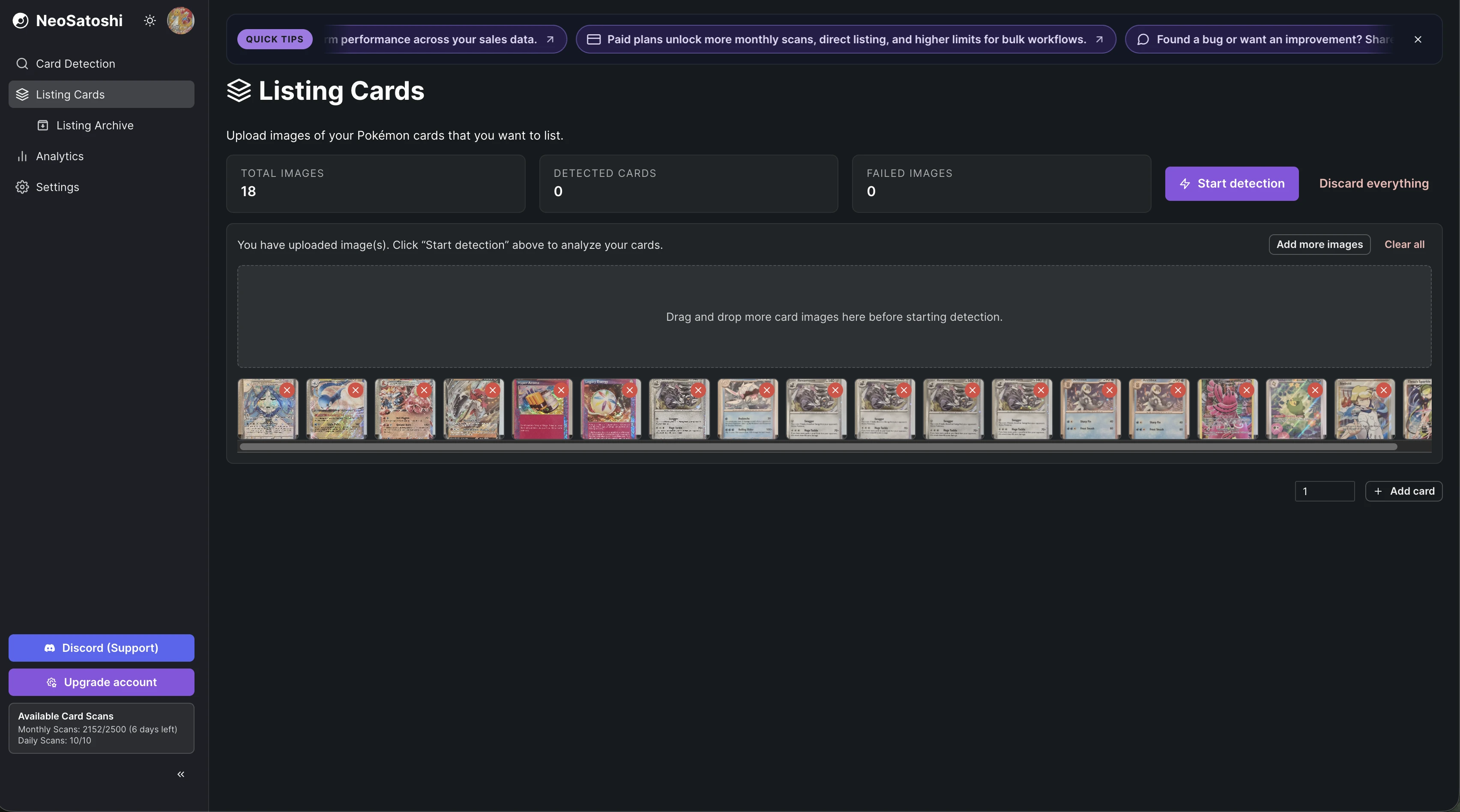
Upload your card photos
Drop binder pages, lots, or singles into the upload area. NeoSatoshi processes multiple cards per image.
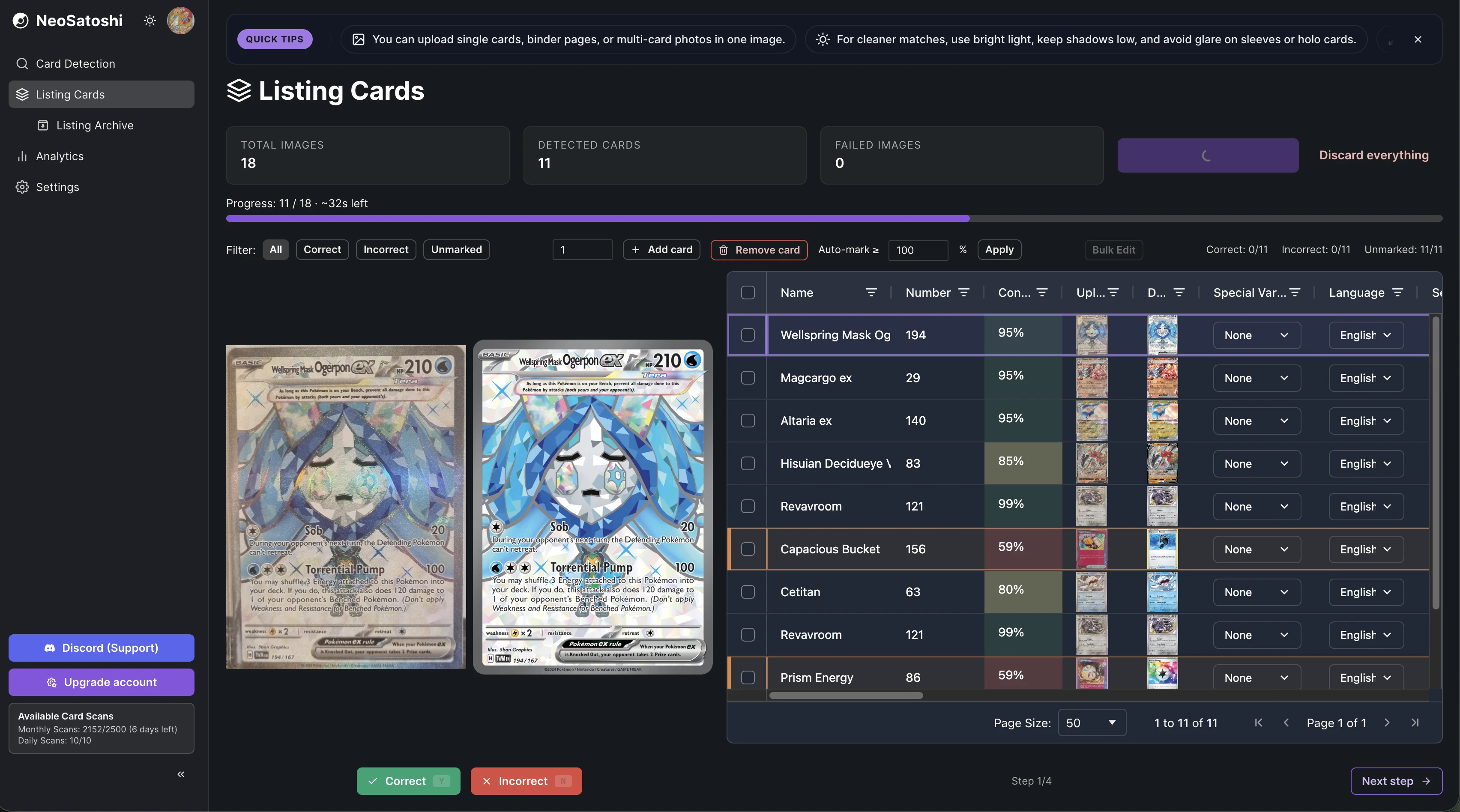
AI detects every card
Each card gets identified with name, set, number, rarity, and finish. Review the results in a clear table view.
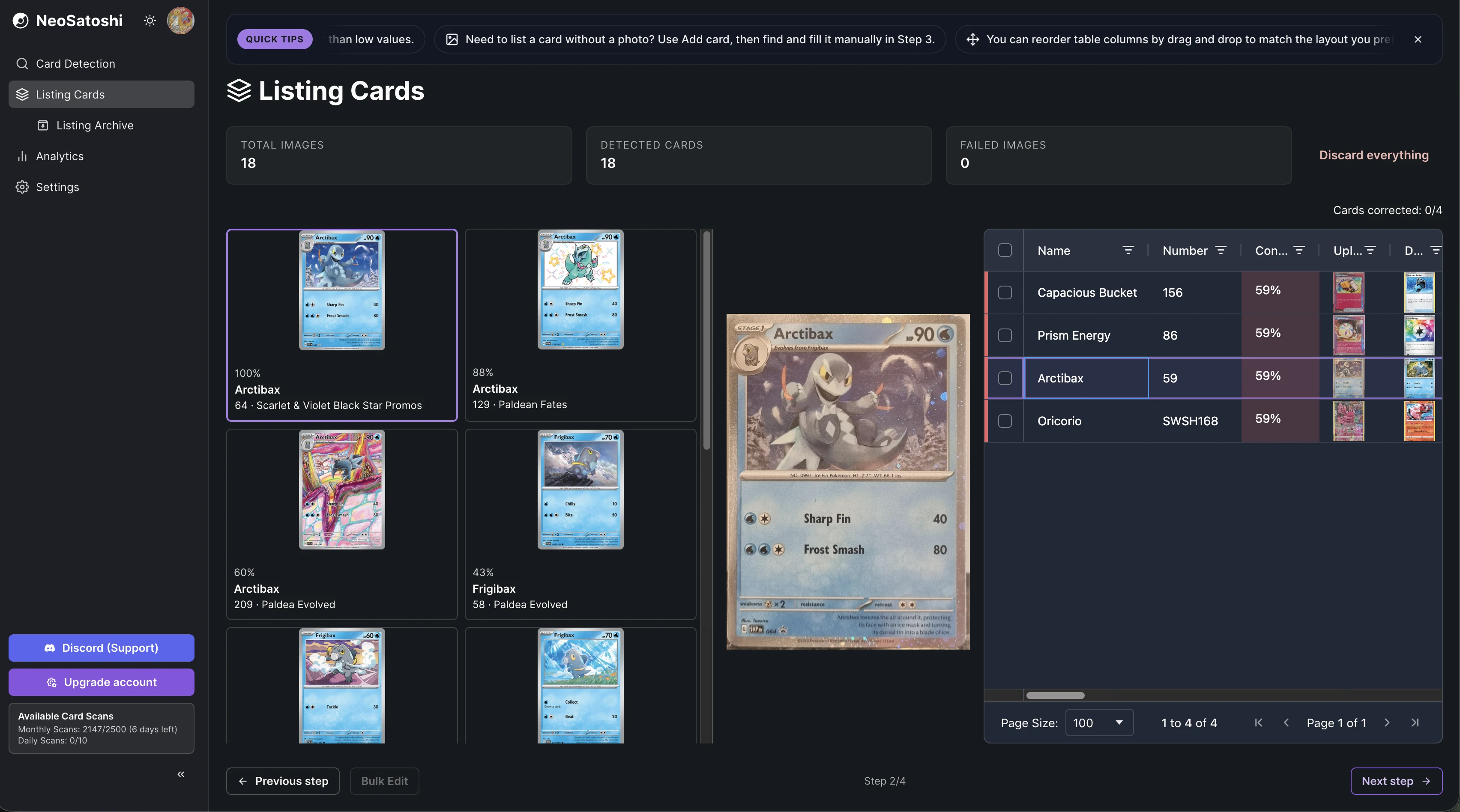
Correct edge cases quickly
For rare variants or tricky matches, pick the right card from alternatives with one click.
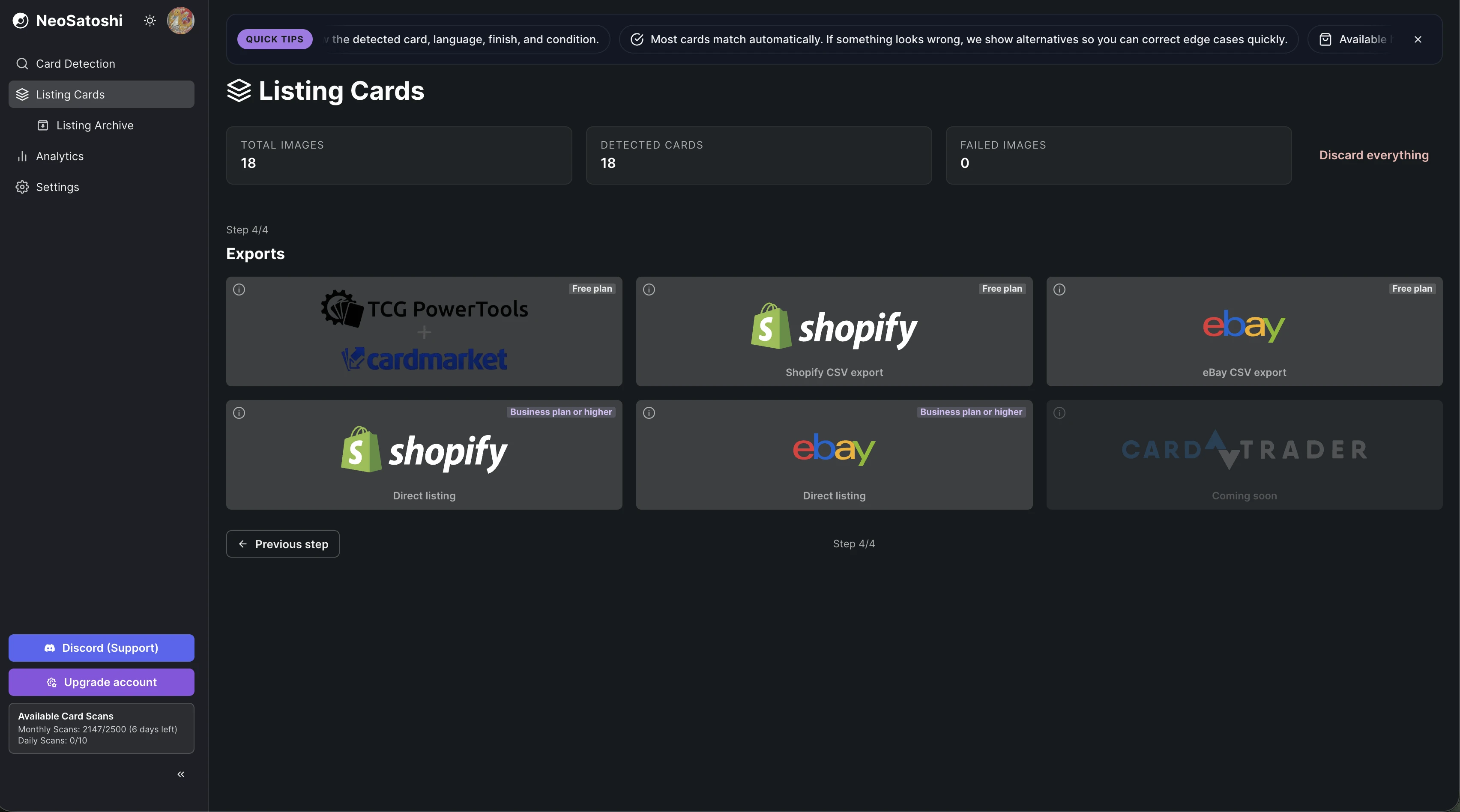
Export to any marketplace
Choose your destination: eBay, Shopify, or Cardmarket via TCGPowerTools. CSV and direct API options available.
How it works
Upload photos
Take a photo of your binder page or individual cards. Multi-card and single-card photos both work.
Review and price
Check the AI matches, correct any edge cases, and set your prices using market data or manual overrides.
Export and sell
Export to eBay, Shopify, or Cardmarket. Direct API listing or CSV download, your choice.
Common questions
- How many cards can I list at once?
- Each photo can contain multiple cards (e.g. a 9-card binder page). You can upload many photos in a session and export all matched cards together.
- Which marketplaces are supported?
- eBay (direct API listing and CSV draft export), Shopify (direct API and CSV), and Cardmarket via TCGPowerTools CSV export.
- Do I need a paid plan?
- You can try NeoSatoshi with free daily scans. Paid plans unlock more monthly scans, direct eBay & Shopify listing, and higher workflow limits.
- How accurate is the AI detection?
- Most cards match automatically. For edge cases or rare variants, NeoSatoshi shows alternatives so you can correct quickly before exporting.
Don't see your question?
Browse all answers
Explore related seller workflows
Related use case
Focus on the eBay-specific workflow, including direct listing, CSV drafts, templates, and marketplace settings.
Learn more
Related use case
See the Shopify-specific workflow with direct product sync, image handling, and per-card variant pricing.
Learn more
Related use case
Use the Cardmarket workflow via TCGPowerTools for European Pokémon card sellers who price by Cardmarket trends.
Learn more
Related use case
Start with AI card detection and review flow if your main need is fast card identification from photos.
Learn more
Related use case
Track revenue, orders, platform mix, and multi-currency performance after your cards are listed and sold.
Learn more
Developers
Developers can call the same recognition engine directly: photo in, structured card JSON out. Test it with a free public demo key.
Learn more
List Pokémon cards in minutes, not hours
NeoSatoshi turns your card photos into ready-to-sell listings. Upload a binder page, review AI-matched results, adjust prices, and export. All from one workflow.