A faster Cardmarket listing workflow for Pokémon sellers
NeoSatoshi detects your cards and exports a TCGPowerTools-compatible file you can import to Cardmarket. Skip the manual entry, keep the pricing logic you trust.
Cardmarket-ready exports without the busywork
TCGPowerTools-compatible export
Export a file ready for TCGPowerTools to import into Cardmarket. Set, number, language, condition, finish, and price are all filled in.
Cardmarket-aware pricing
Use Cardmarket trend, low, or average prices as your base, then apply markup, minimum prices, or per-card overrides before exporting.
Language and condition handling
English, German, French, Italian, Spanish, Japanese, and Korean cards plus standard Cardmarket conditions are mapped correctly so your imports run cleanly.
Special variant resolution
For Pokémon edge cases like stamped, full art, or alt art variants, NeoSatoshi prompts you to pick the right Cardmarket equivalent before export.
Best fit for this workflow
Fit 1
Cardmarket is your main channel
Use this page if Cardmarket is where most of your Pokémon singles sell and you want to spend less time entering cards by hand.
Fit 2
You already use TCGPowerTools
This page fits sellers who like the TCGPowerTools import flow and want NeoSatoshi as the detection and pricing source feeding into it.
Fit 3
Pricing should follow Cardmarket trends
Choose this page when your prices need to track Cardmarket trend, low, or average values per card with markup rules applied.
Detected cards ready for Cardmarket
Each card carries the metadata Cardmarket needs: set, number, language, finish, condition, and price. Edge cases are flagged for review.
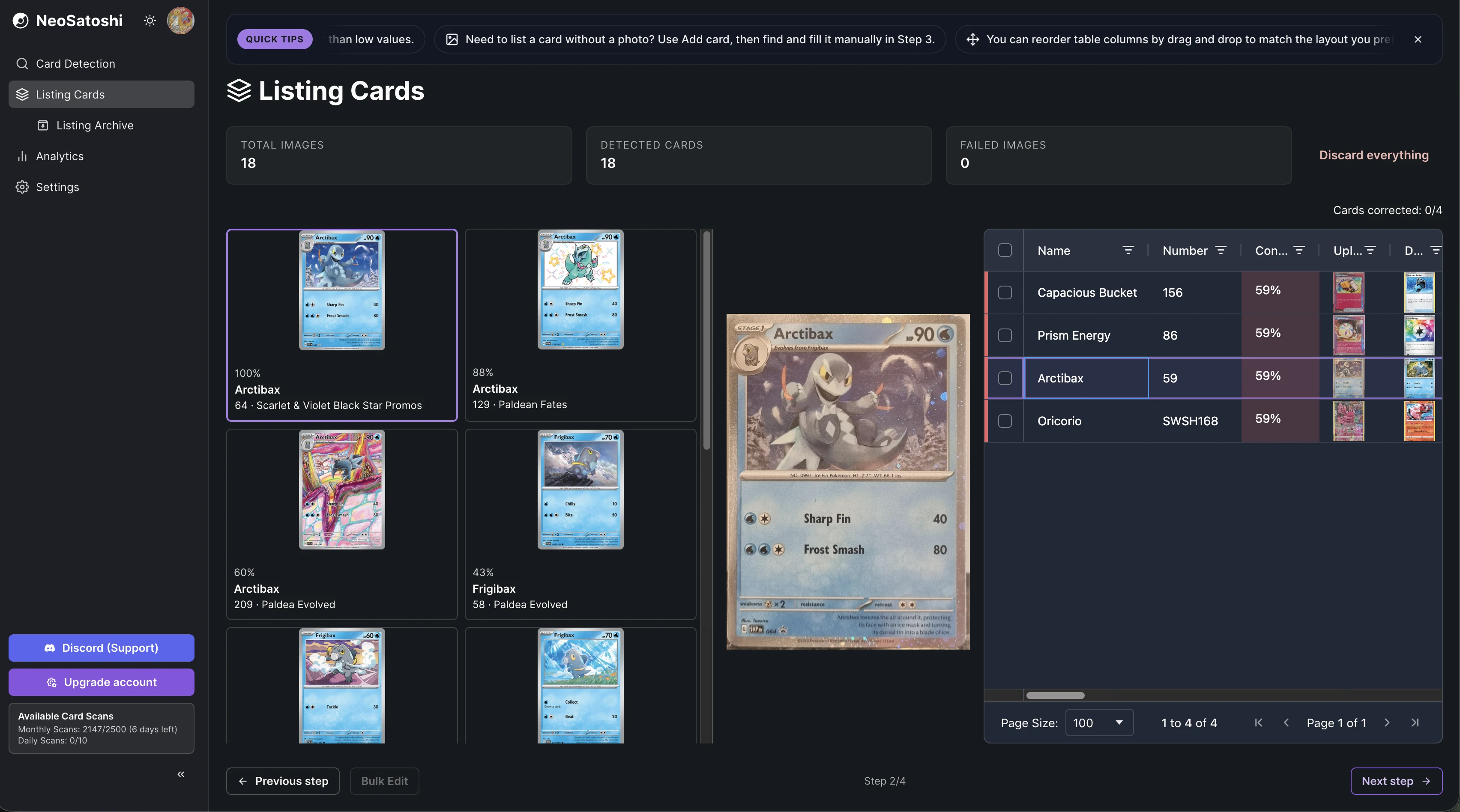
Cardmarket-aware pricing rules
Configure trend / low / avg pricing with markup, minimums, and overrides before generating the TCGPowerTools file.
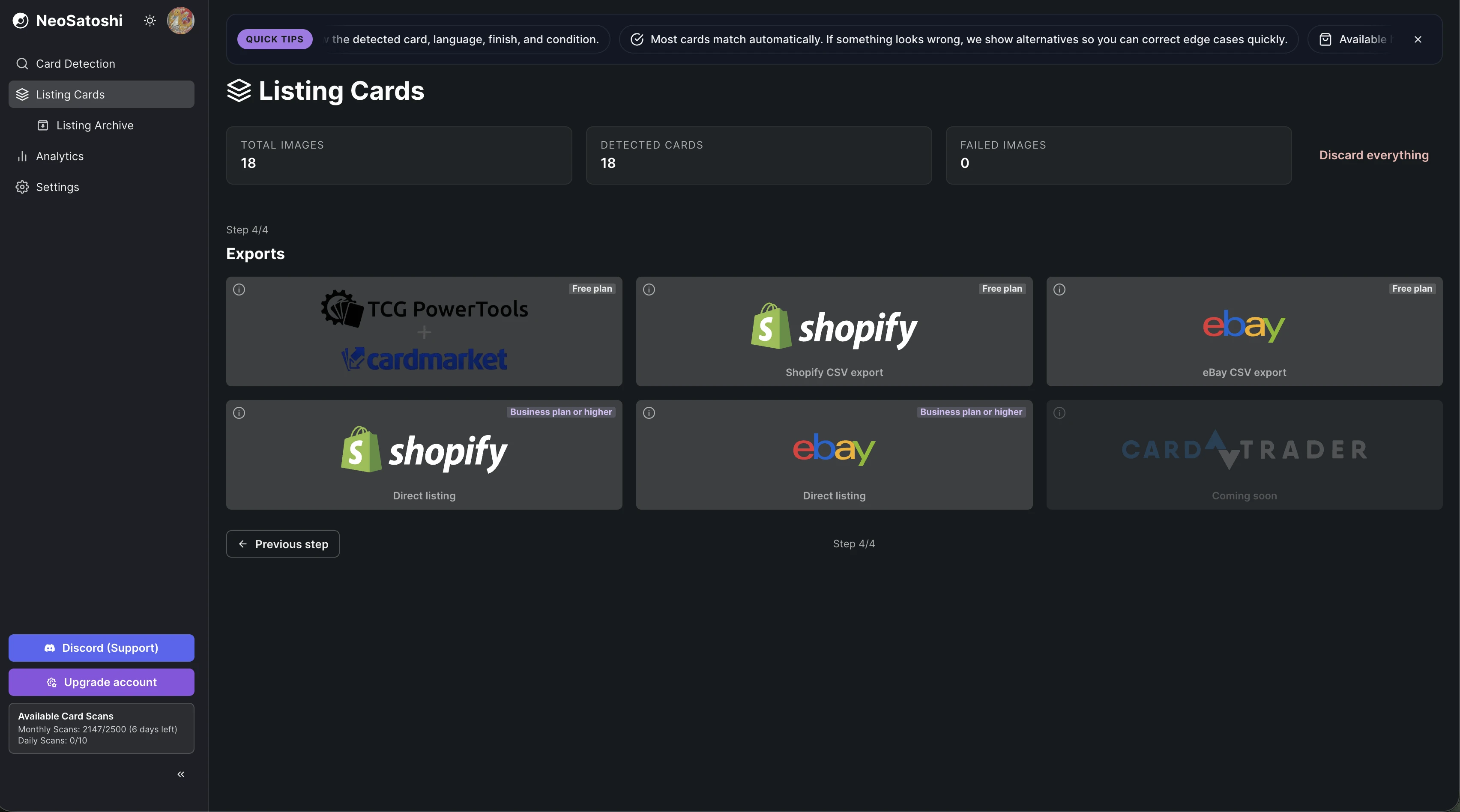
How the Cardmarket workflow works
Detect your cards
Upload card photos. NeoSatoshi identifies each card with set, number, language, finish, and any special variant.
Price with Cardmarket data
Pick your pricing rule (trend / low / avg + markup), set minimum prices, and adjust individual cards if needed.
Export and import to Cardmarket
Download the TCGPowerTools-compatible export, then import it via TCGPowerTools to Cardmarket. Done.
Cardmarket workflow questions
- Why TCGPowerTools and not a direct Cardmarket API?
- TCGPowerTools is the most reliable bridge to Cardmarket today and handles import quality well. We may add a direct Cardmarket integration later, but TCGPowerTools is solid.
- Which languages are supported on Cardmarket exports?
- NeoSatoshi supports English, German, French, Italian, Spanish, Japanese, and Korean Pokémon cards. All of them are mapped cleanly in the Cardmarket workflow.
- How are special variants handled?
- Stamped, full art, alt art, and similar variants surface a manual pick step before export. This prevents bad mappings to wrong Cardmarket products.
- Can I price by Cardmarket trend?
- Yes. You can choose Cardmarket trend, low, or average as the base price and apply markup, minimums, and overrides per card or globally.
Don't see your question?
Browse all answers
Explore related seller workflows
Related use case
See the full bulk listing workflow, from photo upload and card matching to pricing and marketplace export.
Learn more
Related use case
Focus on the eBay-specific workflow, including direct listing, CSV drafts, templates, and marketplace settings.
Learn more
Related use case
See the Shopify-specific workflow with direct product sync, image handling, and per-card variant pricing.
Learn more
Related use case
Start with AI card detection and review flow if your main need is fast card identification from photos.
Learn more
Related use case
Track revenue, orders, platform mix, and multi-currency performance after your cards are listed and sold.
Learn more
A faster Cardmarket listing workflow for Pokémon sellers
NeoSatoshi detects your cards and exports a TCGPowerTools-compatible file you can import to Cardmarket. Skip the manual entry, keep the pricing logic you trust.