How much can you make selling Pokémon cards? Real monthly numbers from a working seller
I publish my real Pokémon card business numbers every month on YouTube, revenue, profit, what sold, and what flopped. I started in June 2025, bought 50,000 bulk cards to build inventory, and have been documenting the numbers ever since. This page collects every recap so you can see what selling Pokémon cards actually looks like over time, not in a single hype video.
By NeoSatoshi
Updated August 14, 2026
Why I publish my real numbers
Most “make money selling Pokémon cards” content online is either pure hype or a single screenshot with no context. I run an actual Pokémon card business, started June 2025, bought 50,000 bulk cards to build inventory, sell singles and bulk across four marketplaces, and I publish the real numbers every month on YouTube so other sellers can see what the work actually looks like.
That includes the months where the numbers are flat. The whole point of showing both is so you can judge whether this is something you want to do. A single big-revenue video is misleading. Twelve monthly recaps in a row are not.
What the numbers actually look like
For an honest sense of the scale before you watch the videos: in February 2026 the business did roughly $2,000 in gross revenue and $715 in profit. Recent months have run between $400 and $700 in profit, with 700+ cards sold per month. The platform split for February was about $1,250 on Shopify, $450 on Ricardo, $215 on Cardmarket, and $80 on CardTrader.
The platform mix is what surprises most beginners:
- Shopify. Average order value around $120. Highest per-order, lowest fees (~3%), but you have to drive your own traffic.
- Ricardo (Switzerland’s eBay equivalent), average order ~$18, fees ~8%, but the platform brings the audience.
- Cardmarket. Average order ~$12, fees ~4.5%, mostly TCG players buying bulk singles in volume.
- CardTrader. Fewer orders, fees ~16% (driven by tracked weekly Italy shipping), used mainly via the CardTrader Zero program so I only ship once a week.
Different platforms, different buyer behavior, different unit economics. That’s why the dashboard exists, no single marketplace tells you the full story.
List the same way I do
The reason these monthly numbers are even possible is the listing workflow behind them. Photo, AI detection, pricing, export to eBay, Shopify and Cardmarket all in one place, plus automatic Cardmarket- or TCGplayer-based price refreshes for eligible eBay and Shopify listings.
Try the listing dashboardHow the numbers are tracked
Every recap pulls from the same workflow:
- Sales data from Shopify, Cardmarket, CardTrader, and Ricardo is imported into one analytics dashboard.
- Multi-currency totals (CHF, EUR, USD) are normalized so platform comparison is honest.
- Revenue, profit, refunds, fees, and platform mix are tracked separately.
- Bulk-card sales and singles are split out so the picture is not distorted by one big lot.
That dashboard is the same one shown in every monthly video. Pulling everything into one place was the only way I could produce these recaps consistently, collecting the numbers by hand from each marketplace dashboard would take a full weekend per month.
What the recaps cover
Each monthly video walks through:
- Gross revenue for the month, by platform.
- Net revenue after fees (Shopify, Cardmarket, CardTrader, Ricardo, payment processing).
- Estimated profit after cost of goods. I buy bulk at roughly 70% off retail value and sell at 120–140% of Cardmarket Trend, so margin per single is decent, but bulk is most of the volume.
- Singles vs bulk split, different margins, different time investment.
- What worked, what didn’t. Pricing changes, listing experiments, platform shifts.
Behind every recap: the listing workflow
The numbers above only exist because the listing side works. Photo → AI detection → priced cards → exported to eBay, Shopify and Cardmarket in one workflow. Without that, I don’t list 500 cards a month and the videos don’t happen.
If you’re trying to get to your own monthly numbers, the bottleneck is almost always the listing process, not finding cards or finding buyers. The listing software page walks through what that workflow looks like in practice.
Watch every monthly recap
The full playlist is embedded below, you can play through every recap in chronological order. Or pick a specific month from the thumbnails further down.
You can also open the playlist on YouTube and subscribe to get future recaps.

May 2026
A Seller's Best Week Ever Selling Pokemon Cards

May 2026
I'm Leaving Card Trader - Here's Why

May 2026
Pokémon Card Business: My Last Bulk Card Listings
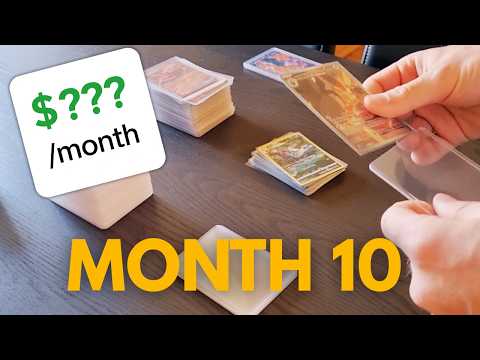
April 2026
Pokémon Card Business: 10 Months Selling Pokémon Cards

March 2026
Selling Pokémon Cards: A Great Start to 2026

February 2026
My first year selling Pokémon Cards (2025 Recap)

January 2026
Building a Pokemon Card Business: The Flea-Market Disaster - Week 28

January 2026
Pokémon Card Business: December Hit Me Hard

December 2025
My Pokémon Card Business After 6 Months

November 2025
Pokémon Card Business: Profit After 5 Months (Real Numbers)

October 2025
Pokémon Card Business: Profit After 4 Months (Real Numbers)

September 2025
How I price and sell Pokémon TCG bulk master sets

August 2025
Trump's Tariffs affects my Pokémon card business... ($0 to 50$K challenge)

August 2025
A deep dive into a large bulk Pokémon card sale and its impact on business strategy

August 2025
How much I make after 2 months selling Pokémon cards

August 2025
How much can I make on CardTrader? ($0 to $50K)

July 2025
$0 to $50k Challenge: The Best Week!

July 2025
A Real-World Look at Processing a Bulk Pokémon Card Purchase

July 2025
Building a $50,000 Pokémon Card Business: Week 4 Update

July 2025
$0 to $50k Challenge: Are 25,000 bulk cards enough to build sets?

June 2025
Using a Card Sorter Machine for a Pokémon TCG Business

June 2025
Building a Pokemon Business: Starting From Scratch ($0 to $50k Challenge)

June 2025
Building a Pokemon Business: The Plan
If you want to track your own sales the same way
The dashboard in every recap is NeoSatoshi’s sales analytics. You connect or import your eBay, Shopify, Cardmarket, and CardTrader sales and you get the same multi-platform, multi-currency view. There is a free tier so you can try it before paying.
The point isn’t the dashboard, it’s having one honest view of your business so you can make decisions based on real numbers, not the marketplace dashboard that happens to look best this week.
Track your own Pokémon card sales
NeoSatoshi pulls your eBay, Shopify, Cardmarket, and CardTrader sales into one dashboard with multi-currency support, the same dashboard I use in my monthly recaps.